01
Shape the hierarchy
Drag courses, modules and lessons into place. Invalid upward nesting is refused before it can make a mess.
Course authoring, structurally sound
Contentum gives course creators one place to shape courses, modules and lessons, write at every level, and keep the whole curriculum in view.
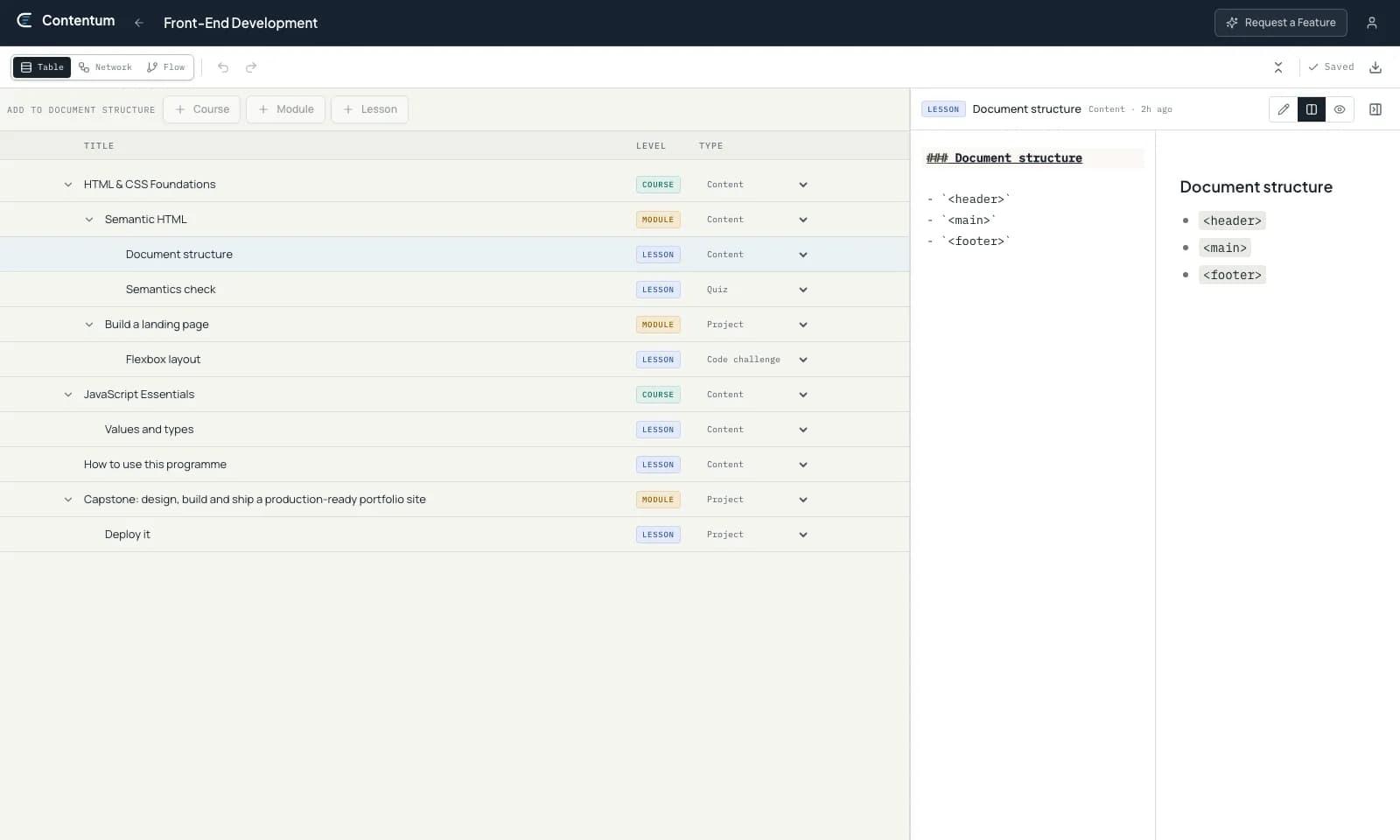
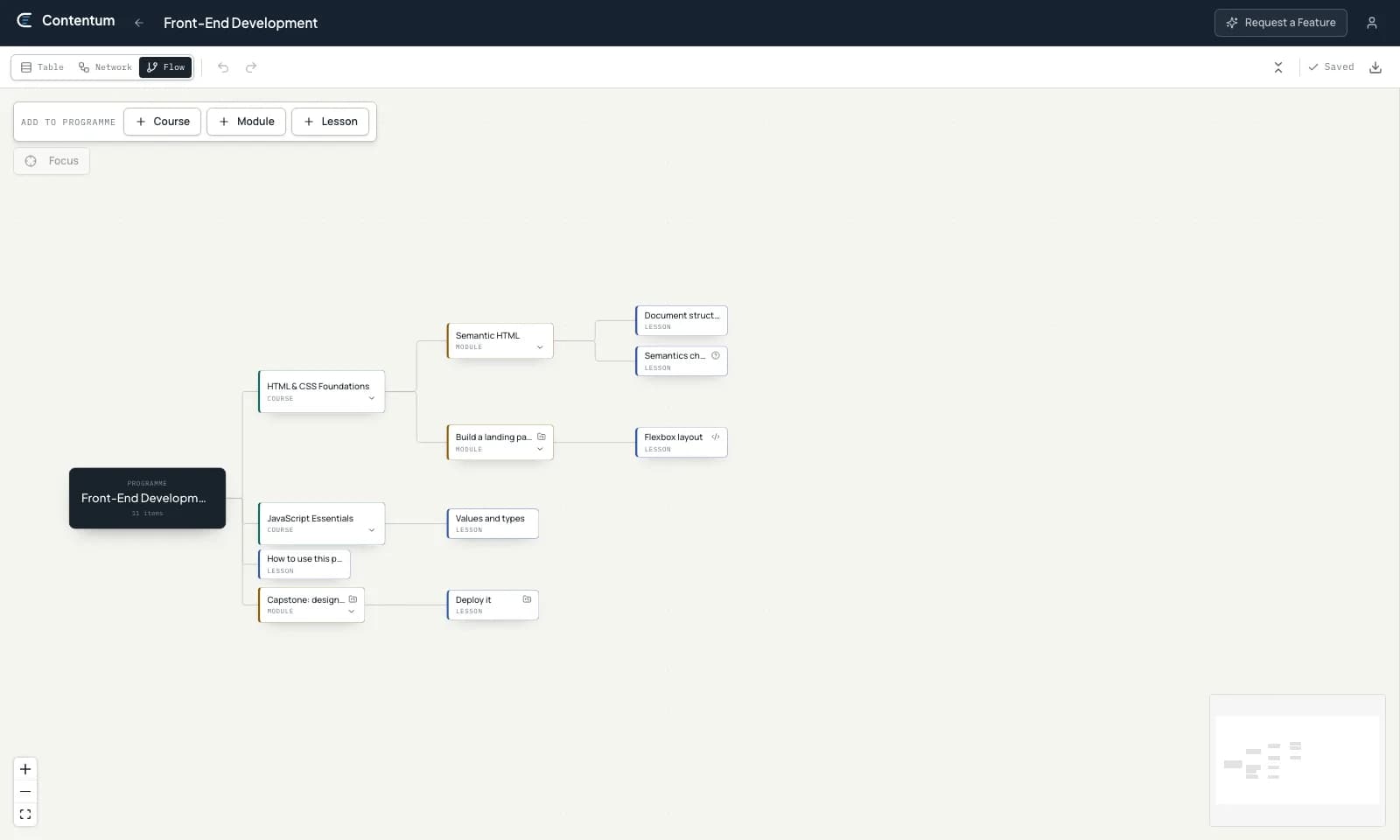
Real product view · the same curriculum shown as a flow
The outline is the work
Lessons need context. Modules need sequence. Courses need a reason to belong to the same programme. Contentum turns those relationships into an authoring surface you can see, change and trust.
The authoring desk
Contentum keeps the large-scale curriculum and the sentence you are writing in the same frame of thought.
Drag courses, modules and lessons into place. Invalid upward nesting is refused before it can make a mess.
Add Markdown to the programme, a course, a module or a single lesson. Autosave keeps pace while you think.
Use table, network and flow views to inspect the same programme from a practical or visual angle.
Follow the focus from curriculum structure to the Markdown authoring panel.
One curriculum, three views
Switch the point of view, not the source of truth. The programme underneath remains the same.
A model with enough give
Skip a level when the content calls for it. Contentum protects the direction of the hierarchy without forcing every programme into identical boxes.
Work without a dead end
Make large changes with a way back, and leave with the complete programme when you need to.
Reverse renames, content edits and structural moves from the authoring desk.
Export the full hierarchy and every Markdown body in one portable file.
Deleted programmes and subtrees stay recoverable for thirty days.
Start with an empty tree
Contentum is free to use. Build one programme or rethink the whole catalogue.