01
Markdown everywhere
Write a brief for the whole programme, context for a course, guidance for a module or the complete lesson itself.
Features
Contentum is built around the part most authoring tools hide: how every piece of a curriculum belongs to the next.
Read the authoring guides01 / Structure
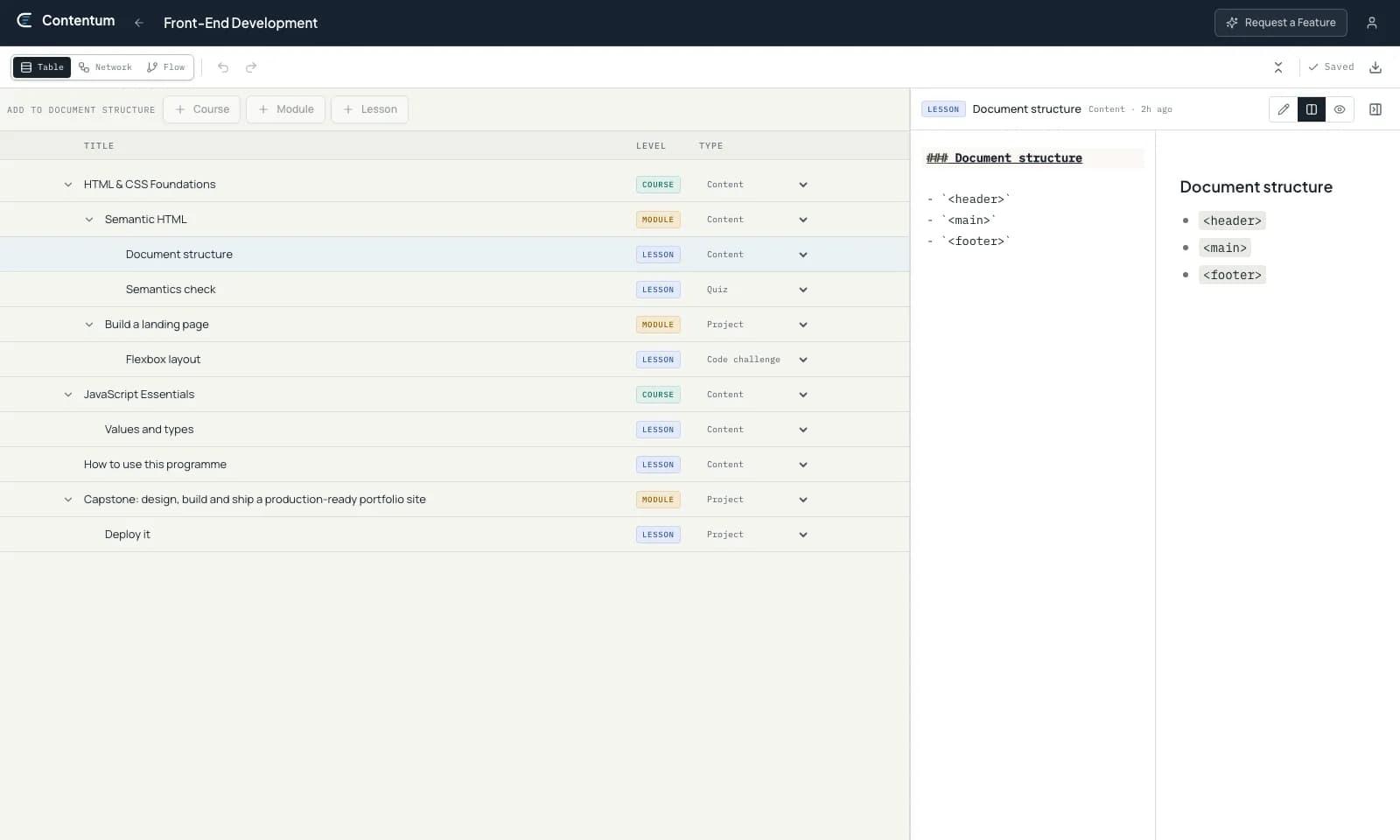
Programme, course, module and lesson form a clear direction. Skip downward where it helps, while Contentum prevents a higher level from being nested inside a lower one.
02 / Views
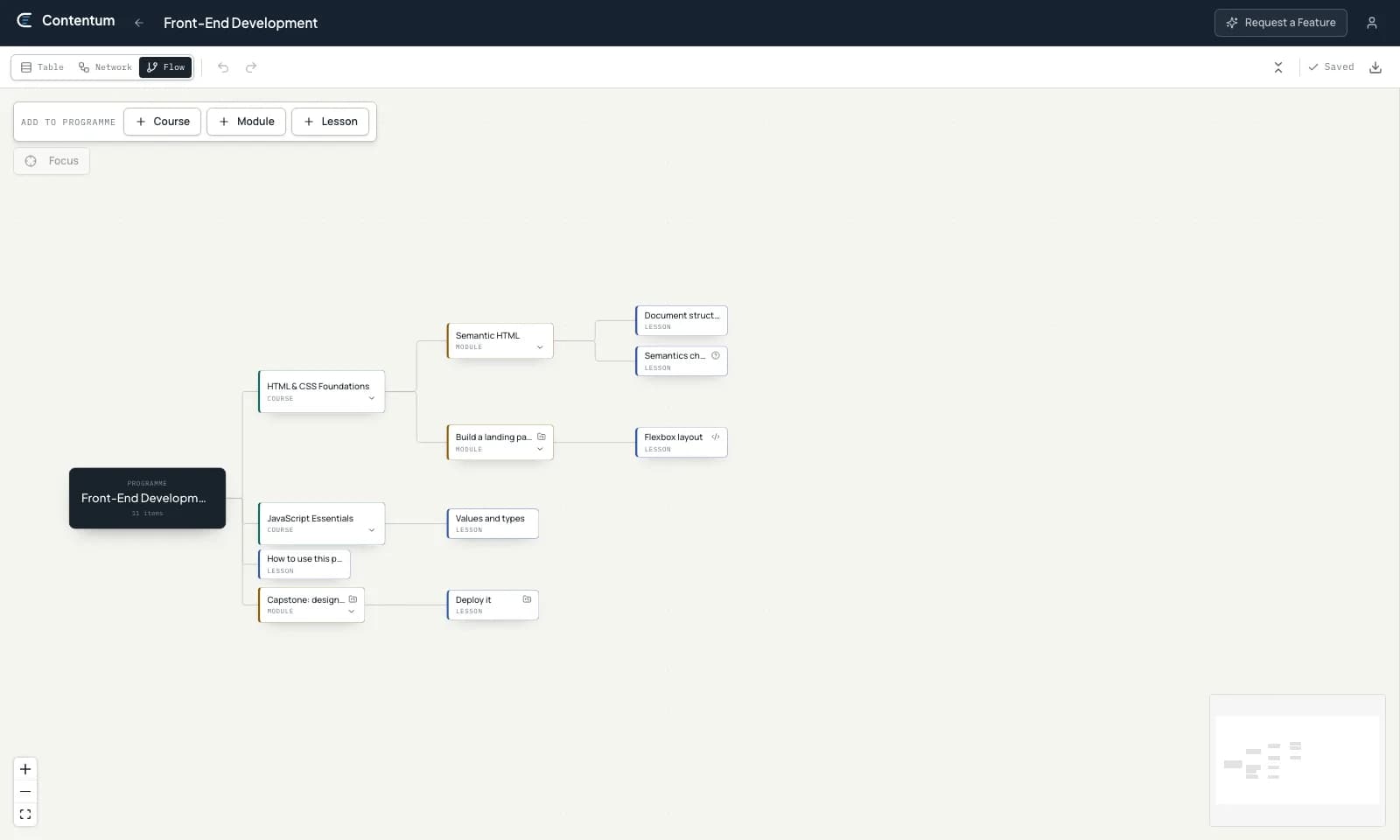
Table view is made for work. Network and flow views make relationships easier to scan. Switching view never duplicates or transforms the source content.
03–06 / The working details
Write a brief for the whole programme, context for a course, guidance for a module or the complete lesson itself.
Structure saves when it changes; prose saves shortly after you stop typing. There is no separate publish step to remember.
Undo and redo reach beyond the current text field to cover renames, moves and deleted subtrees.
A deleted programme or item remains recoverable for thirty days before permanent removal.
Take the full hierarchy and its Markdown with you, or import a versioned file as a fresh programme.
Let supported AI clients read and build within Contentum through OAuth or an API key you can revoke.
A deliberate boundary